
How Many Hours Does Your Environmental Consultancy Lose to Audit Reporting?
Environmental and audit consultancies lose hours every year to collecting site data, retyping it into calculations, formatting reports and waiting for client sign-off. Enter your team size, weekly hours lost and the value of an hour in the calculator below to see the yearly total.

An audit is won in the field and lost in the report. The site visit is the interesting part. What follows it, days of moving numbers between notes, spreadsheets and templates, is the part nobody bills properly. This page helps you put a number on that time, using your own figures.
01. What a normal audit week looks like
On Tuesday, a consultant comes back from site with readings, photos and handwritten notes. On Wednesday, the readings are typed into a spreadsheet, and the photos are renamed and filed. On Thursday, the calculations are copied into the report template, and the formatting is fixed because a table moved. On Friday, the draft goes to the client, and a week later someone is still asking whether it has been read.
None of that needs a consultant's expertise. All of it takes a consultant's time. When several audits overlap, the reporting backlog grows faster than the site work.
Four time-sinks account for most of it:
- Collecting data from site and clients. Notes, readings, photos and requests for missing documents.
- Retyping it into the report. The same figures entered in a spreadsheet, a calculation tool and the final document.
- Formatting and checking the report. Tables, charts and wording adjusted by hand to match the template.
- Chasing client sign-off. A draft waits, and someone keeps track of where.
02. What automation and AI can take over
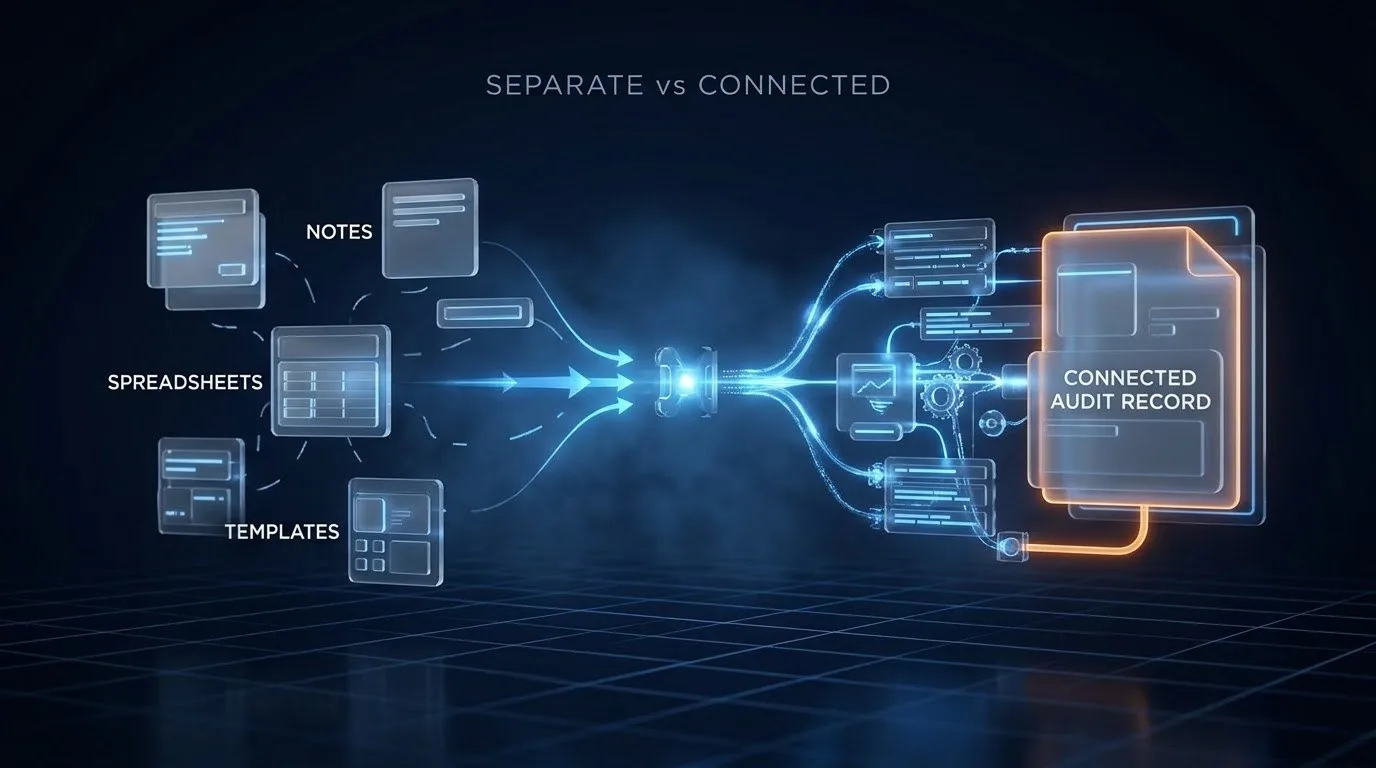
Most of these steps are handoffs: data moving from one place to another. Handoffs can be connected without replacing the tools the consultancy already uses.
- Site data can be captured once, in a form on a phone, and stored in a single record for the audit instead of in notes, photos and spreadsheets.
- Calculations can run from that record, so figures are not retyped.
- The first draft of a report can be assembled from the record and the template. AI can help draft descriptive sections and flag missing information. A consultant reviews and signs the result.
- Client sign-off can be tracked in one place, with who, what and when.
Some things stay with people: the judgement about what the data means, the recommendations, and the conversation with the client. The aim is to remove the retyping and the chasing, not the consultant. For a worked example of an audit-reporting pipeline, see the energy audit reporting pipeline.
03. Calculate your consultancy's number
Environmental Audit Reporting Console
Consultancy Capacity & Handoff DiagnosticsBased on 46 working weeks a year. Cautiously models 50% recovery. Estimate based on your inputs; not advice.
04. How to use it
- Enter how many people are involved. Count everyone who collects data or writes reports, even part of the week.
- Enter hours lost per person per week. If you are unsure, ask each person to note the minutes for one week and take the average.
- Enter what an hour is worth. Use a charge-out rate, or your best estimate of the value of an hour of their time.
The result updates as you type. Choosing the biggest time-sink is optional. It does not change the numbers. It is only passed along if you decide to book a conversation.
An example. A consultancy of five people loses six hours each per week, and an hour is worth €85. A consultancy of five people losing six hours each per week to audit admin loses 1,380 hours a year. At €85 an hour, those 1,380 hours are worth €117,300 of consultant time, not €117,300 of cash. If about half could be recovered, the consultancy gets back 690 hours, or about 86 working days.
These are example numbers, not an Irish average. Time freed from reporting becomes income only when there is audit work waiting to use it.
05. What a director can see when the systems connect
When site data, calculations, drafts and sign-offs sit in one connected workflow, a director can see the pipeline without a status meeting. Which audits are waiting for data, which for calculation, which for review, and which for the client. How long each has waited, and with whom. Each person sees what their role needs, and each step leaves a record.
That visibility changes how work is planned. A director who can see the queue assigns work earlier, and the team spends less time answering the question "where is that report?".
06. Frequently asked questions
How is the yearly total worked out?
Hours a year = people × hours each per week × 46 working weeks. Cost a year = those hours × the value of one hour. The recovered figure is half of both, shown in hours, euros and working days (recovered hours divided by 8).
Why 46 working weeks?
It allows for holidays and leave. It is an assumption. If your team works more weeks, the real total is a little higher.
Why only about half?
Because no workflow removes everything. Half is a deliberately cautious assumption. Your real figure depends on how your audits are run, which a conversation about one workflow can clarify.
Does the calculator store what I enter?
No. The calculation runs in your browser and the result appears without an email address or login. If you choose to book a conversation, only the headline numbers and your optional time-sink choice travel with the link.
What counts as an hour lost?
Time spent on the four tasks above that does not need professional judgement: collecting data, retyping it, formatting reports and chasing sign-off.
Does AI write the audit report?
It can help draft descriptive sections and flag gaps. A consultant reviews the content and remains accountable for it. The calculator does not assume AI replaces that review.
Do we have to replace our current tools?
No. The estimate assumes you keep the tools you use and remove the manual steps between them.
What happens in the free 30-minute fit call?
You bring one workflow and the number you calculated, and we talk through where the hours go and what could be connected.
07. Next step
Hot path: Bring one workflow and the number you just calculated. Book a free 30-minute fit call →
Soft path: Print your result or copy the link to share with a colleague. Nothing is stored, and no email is needed.